13. Ratings & Reviews
13.1. Ratings & Reviews Module
The Ratings & Reviews system enables students to share feedback after completing a tutoring session. This feedback helps maintain quality standards and assists other students in choosing the right tutor.
13.1.1. Session Feedback Process
After a session is completed, students can provide feedback using the following methods:
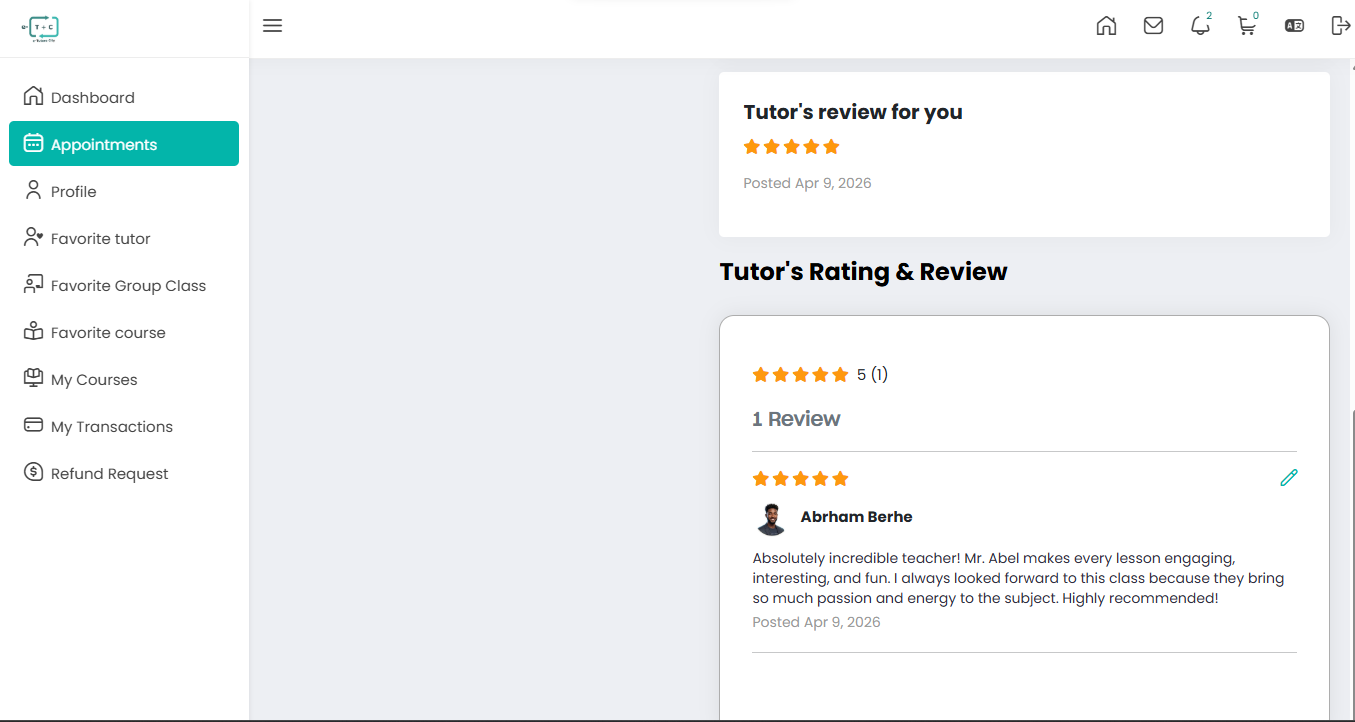
- Star Ratings: Students assign a score between 1 and 5 stars.
- Text Feedback: Students can write comments describing their learning experience.
- Public Display: Individual ratings are aggregated into an overall score visible on the tutor’s profile.
13.1.2. Impact of High Ratings
Maintaining a high rating is critical for tutor success on the platform:
- Search Visibility: Higher-rated tutors appear more prominently in search results.
- Booking Volume: Strong ratings build trust and typically increase student bookings.
- Featured Status: Tutors with consistently excellent feedback may earn a Featured Tutor badge, improving visibility.
13.1.3. Profile Example Breakdown
The example below illustrates how ratings and reviews appear on a tutor profile:
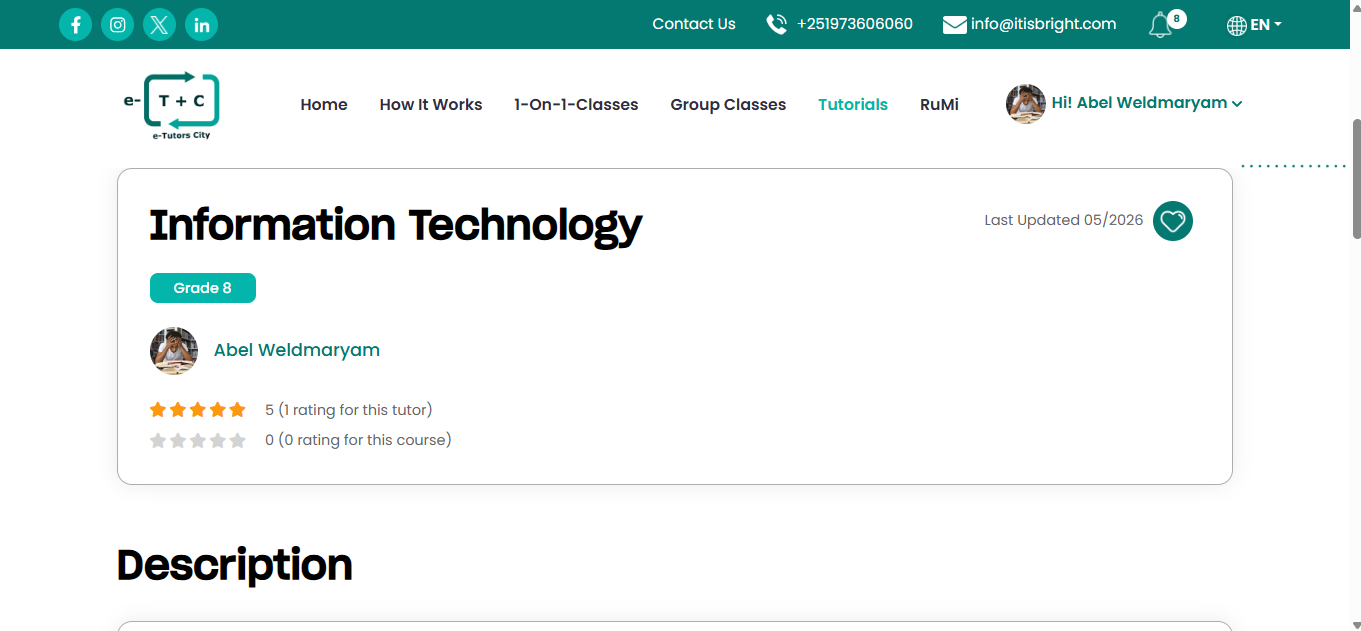
- Tutor: Abel Weldmaryam
- Subject: Information Technology (Grade 8)
Rating Statistics:
-
Overall Rating: 5-star average based on 1 review
-
Course-Specific Rating: 0 ratings for this IT course
(indicating ratings can differ between overall tutor performance and individual courses) -
Last Updated: May 2026
Encourage students to leave detailed feedback after each session to improve your visibility and credibility on the platform.