12. Payout
12.1. Payouts Dashboard
The Payout section allows you to monitor your earnings status and initiate withdrawal requests to transfer your wallet balance to your bank account.
12.1.1. Earnings Status Dashboard
The Earnings Status tab provides a visual breakdown of your financial performance:
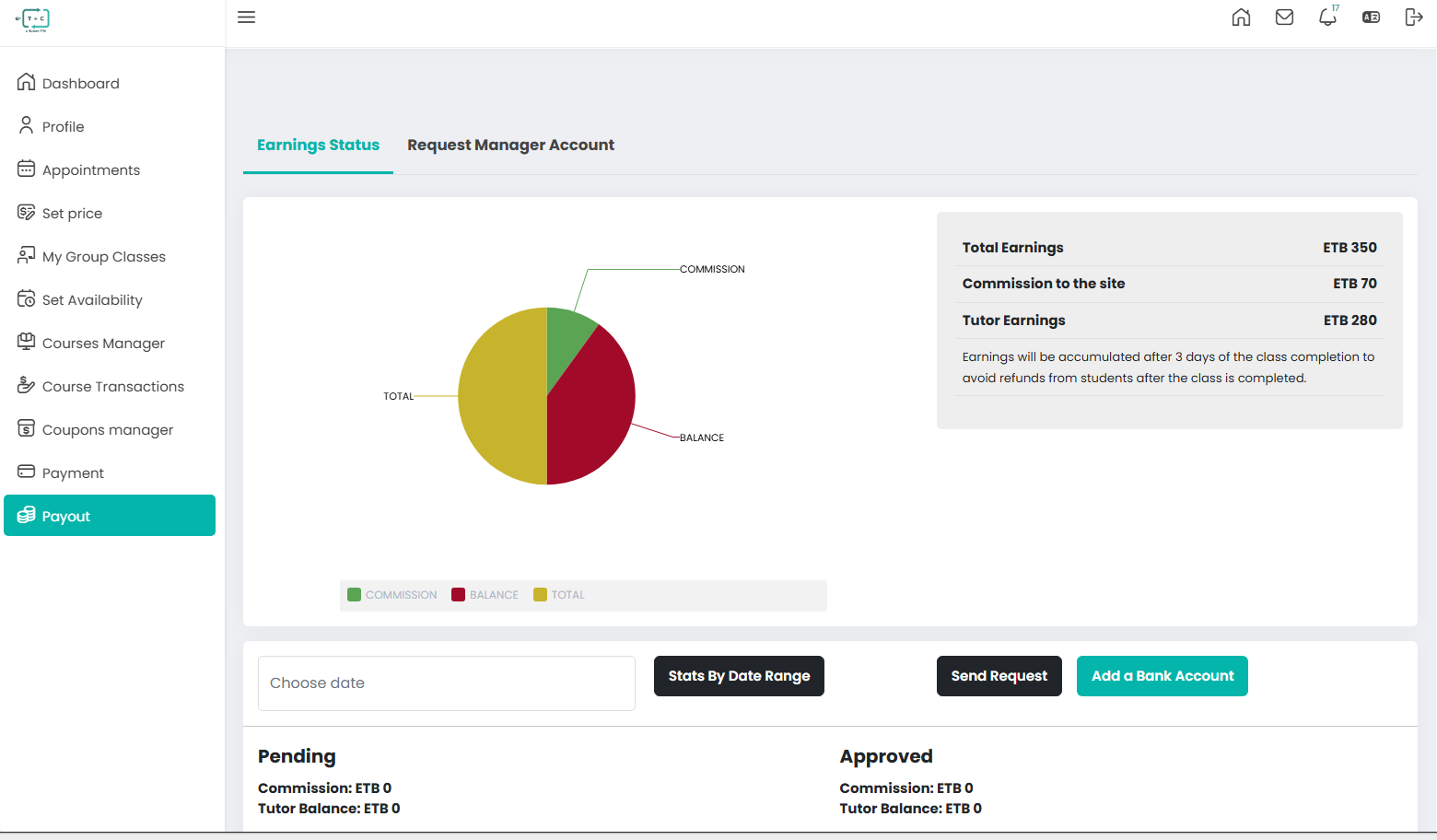
- Total Earnings: Total amount paid by students for your services.
- Commission to the Site: Standard platform fee deducted from total earnings.
- Tutor Earnings: Net balance available for payout.
- Earnings Accumulation: Earnings are credited 3 days after class completion to allow for potential refund requests.
12.1.2. Payout Request Process
Once you have accumulated earnings and added your bank information, you can request a withdrawal. The Request Payout form provides a final summary of the transaction before submission for administrative review.
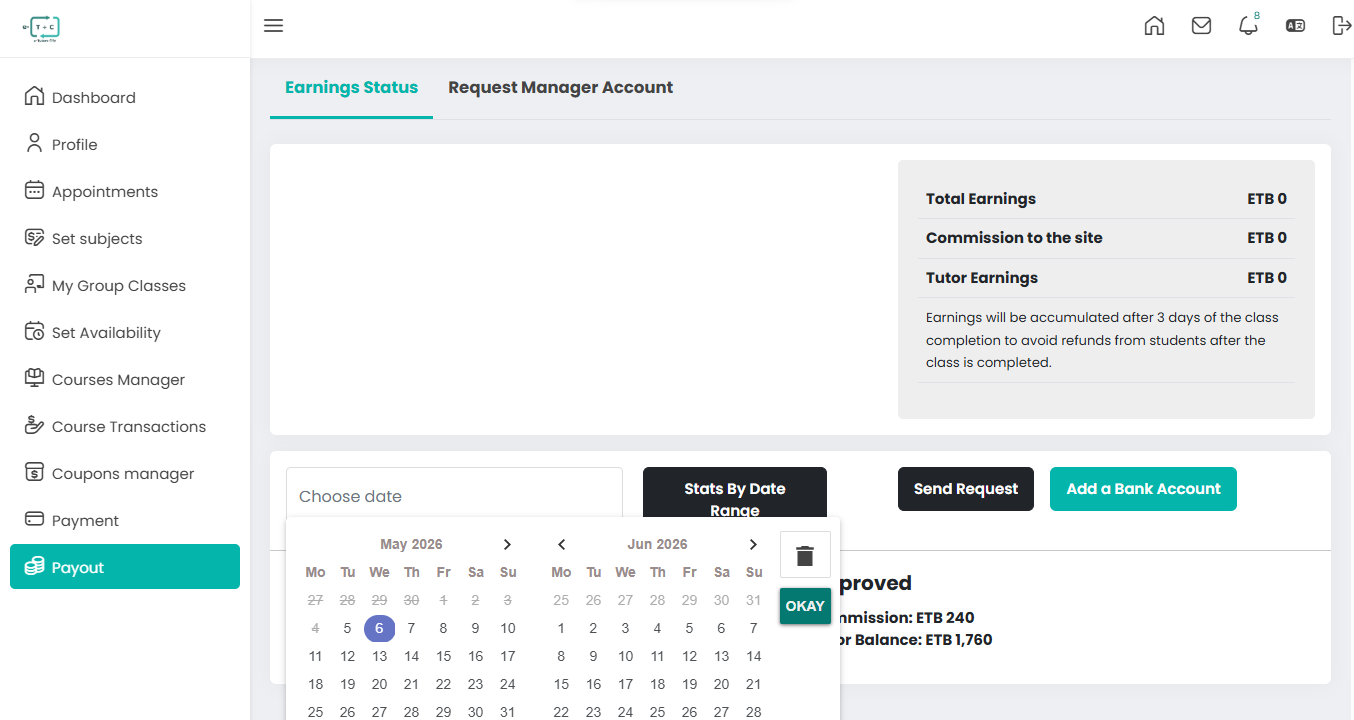
- Add Bank Account: If not already added, click Add a Bank Account to link your details.
- Select Date Range: Use the Choose Date filter and click Stats By Date Range to view earnings for a specific period.
- Send Request: Click Send Request to submit your payout request.
- Admin Review: The platform administration reviews your request.
- Transfer Processed: Once approved, the transfer is sent to your registered bank account.
12.1.3. Payout Request Details
The form displays the following calculated values for your current request:
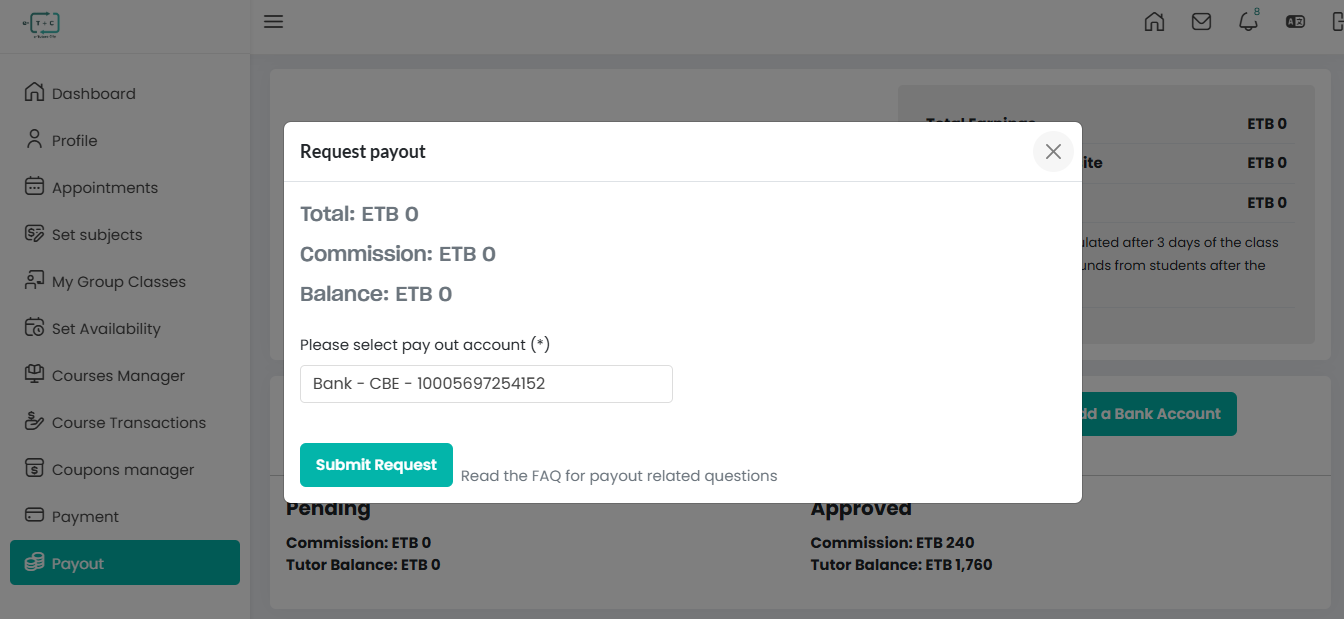
- Total: Gross earnings from the selected sessions
- Commission: Platform service fee deducted from total earnings
- Balance: Net amount that will be transferred to your bank account
12.1.4. Steps to Submit
- Select Pay Out Account (*): Choose your preferred bank account from the dropdown (e.g., Bank - CBE).
- Review Figures: Confirm that Total, Commission, and Balance match your expected earnings.
- Submit Request: Click Submit Request to finalize and send for review.
important
- Balance Validation: If your available balance is minimum ETB 10, the system will not allow submission. Ensure your earnings have completed the 3-day accumulation period after class completion before requesting a payout.
- Regularly monitor your Pending and Approved balances at the bottom of the Earnings Status page to maintain clear visibility of your cash flow.